
If you’ve ever asked “why isn’t my website showing up on Google even though I have a nice design,” the answer usually starts with on-page SEO. It’s the part of SEO you actually control — the words on your page, the structure behind them, and how clearly you tell both Google and your visitors what the page is about.
This guide walks through what on-page SEO actually means, why it still matters in 2026 even with AI search tools in the mix, and exactly what to fix first.
On-Page SEO, in Plain English
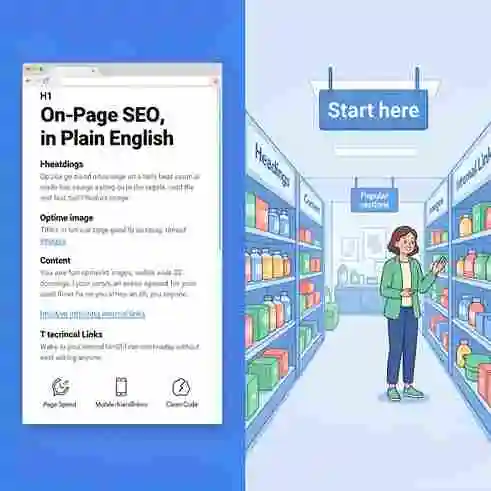
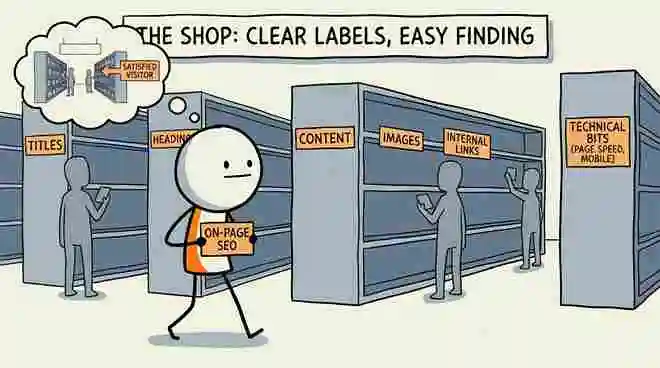
On-page SEO is everything you do on your website — as opposed to off-page SEO, which is about signals from other websites (like back links). It covers your titles, headings, content, images, internal links, and the technical bits like page speed and mobile-friendliness that live inside the page itself.
Think of it this way: if your website were a shop, on-page SEO is how clearly you’ve labeled the shelves, whether the aisles make sense, and whether a first-time visitor can find what they came for without asking anyone.
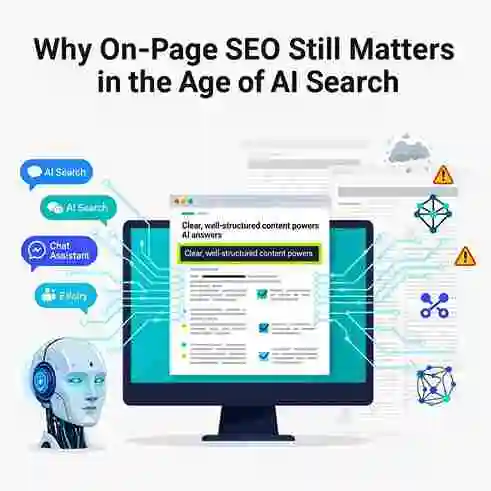
Why On-Page SEO Still Matters in the Age of AI Search
A lot of business owners assume that with tools like ChatGPT and Google’s AI Overviews answering questions directly, on-page SEO is becoming less important. It’s actually the opposite. AI-driven search still pulls its answers from real web pages — the ones that explain a topic clearly, answer the question directly near the top, and are structured in a way that’s easy to extract information from.
Pages that are vague, keyword-stuffed, or built for search engines instead of people tend to get skipped by both traditional rankings and AI-generated answers. Clear, well-organized, genuinely useful content wins in both places.
The Core Elements of On-Page SEO
1. Title Tags
This is the blue clickable headline in search results. It should describe the page honestly, include your main keyword naturally, and stay under roughly 60 characters so it doesn’t get cut off.
2. Meta Descriptions
The short paragraph under your title in search results. It doesn’t directly boost rankings, but a well-written one improves your click-through rate — and that indirectly helps your visibility over time.
3. Heading Structure (H1, H2, H3)
Every page should have one clear H1 (the main title), followed by logically nested H2s and H3s. This isn’t just for search engines — it helps real readers scan your page and helps AI tools understand which section answers which question.
4. Content Quality and Keyword Placement
Your main keyword should appear naturally in the first paragraph, in at least one heading, and a few times throughout — never forced. Write for the person reading it first; the keyword placement should feel invisible.
5. Internal Linking
Linking your own pages together (like linking a blog post to your services page) helps visitors navigate and helps search engines understand which pages on your site matter most.
6. Image Optimization
Compressed file sizes for faster loading, descriptive file names, and alt text that actually describes the image — not just a stuffed keyword.
7. URL Structure
Short, readable URLs beat long, parameter-filled ones. /on-page-seo/ is far better than /page?id=4728&cat=12.
A Simple On-Page SEO Checklist
- One clear H1 per page
- Primary keyword in the title, first paragraph, and one subheading
- Meta description written for humans, not stuffed with keywords
- Images compressed and given real alt text
- At least 2–3 internal links per page
- Mobile view checked and confirmed readable
- Page loads in under 3 seconds
Common Mistakes to Avoid
The biggest mistake isn’t skipping on-page SEO entirely — it’s overdoing it. Repeating a keyword unnaturally, stuffing alt text with phrases no one would actually type, or writing content that reads like it was built for a robot instead of a person. Search engines have gotten very good at spotting this, and readers notice it too.
Frequently Asked Questions
Is on-page SEO a one-time task?
No. It’s worth revisiting every few months, especially after adding new pages or when your target keywords shift.
How long does on-page SEO take to show results?
Most sites start seeing movement within 4–8 weeks, though competitive industries can take longer.
Can I do on-page SEO myself, or do I need an agency?
The basics — titles, headings, alt text — are very doable on your own. Deeper technical work and ongoing strategy is where an agency like Rankoland typically adds the most value.
If your site’s on-page SEO hasn’t been reviewed recently, a quick audit usually reveals two or three quick wins you can fix this week.
Add a Comment